⏱ 4 min read

Worried about 600 GB of storage? You have options. Let's compare full and pruned nodes.

Full Node vs Pruned Node
0 / 4
1
Step 1 / 4

Full Node

Full Node

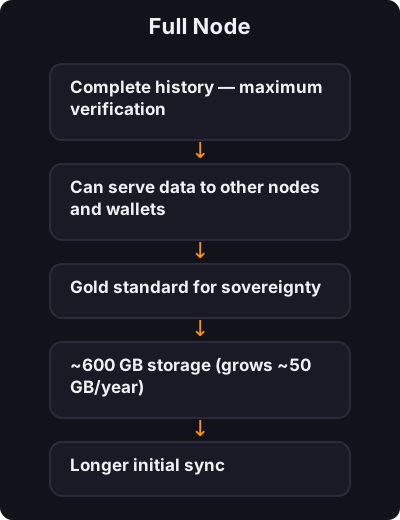
A full node downloads and stores the entire Bitcoin blockchain from 2009 to today.

Pros:

  • Complete history — maximum verification
  • Can serve data to other nodes and wallets
  • Gold standard for sovereignty

Cons:

  • ~600 GB storage (grows ~50 GB/year)
  • Longer initial sync
  • More bandwidth

Best for: Desktop with plenty of storage, dedicated setups
2
Step 2 / 4

Pruned Node

Pruned Node

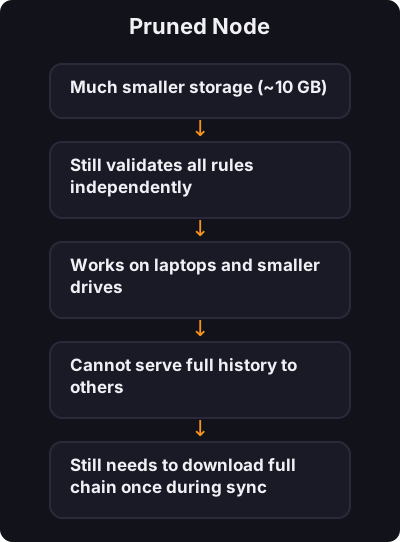
A pruned node downloads the full chain but deletes old block data after verifying it — keeping only recent blocks (~5–10 GB).

Pros:

  • Much smaller storage (~10 GB)
  • Still validates all rules independently
  • Works on laptops and smaller drives

Cons:

  • Cannot serve full history to others
  • Still needs to download full chain once during sync

Best for: Indian users with limited SSD space, laptops, Raspberry Pi

3
Step 3 / 4

Which Should You Choose?

Which Should You Choose?
Your situation Recommendation
500+ GB free on desktop Full node
Laptop with 256 GB SSD Pruned node
Raspberry Pi 4 with external drive Pruned or full
Just learning Pruned — upgrade later
4
Step 4 / 4

Initial Sync in India

Initial Sync in India
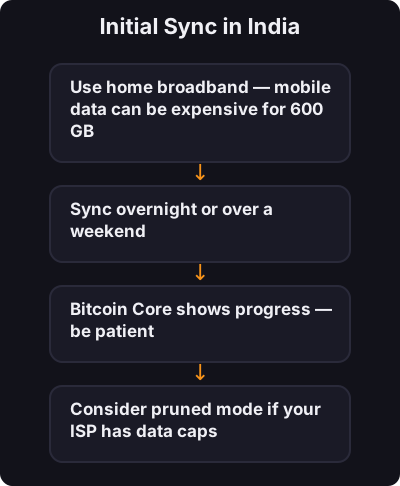
  • Use home broadband — mobile data can be expensive for 600 GB
  • Sync overnight or over a weekend
  • Bitcoin Core shows progress — be patient
  • Consider pruned mode if your ISP has data caps

✅ Key takeaway

Full node = complete history, pruned node = same verification with less storage. Start pruned if space is tight — you still verify everything yourself.

🎯

Quest Challenge

Answer correctly to earn XP and unlock the next quest.