⏱ 4 min read

Ready to ride the Lightning? Let's set up a wallet that's beginner-friendly for India.

Set Up a Lightning Wallet
0 / 3
1
Step 1 / 3

Recommended Lightning Wallets

Recommended Lightning Wallets
Wallet Platform Best for
Phoenix iOS & Android Easiest Lightning-only wallet
BlueWallet iOS & Android On-chain + Lightning in one app
Wallet of Satoshi iOS & Android Simplest — custodial (they hold keys)
Muun iOS & Android Self-custody with Lightning
2
Step 2 / 3

Step-by-Step: Phoenix Wallet

Step-by-Step: Phoenix Wallet

Step 1 — Download Search "Phoenix Wallet" in Google Play or App Store. Verify the developer is ACINQ.

Step 2 — Create Wallet

  • Open Phoenix → it creates a wallet automatically
  • Back up your seed phrase on paper (same rules as Level 2!)
  • Never skip this step

Step 3 — Fund Your Wallet You need a small amount of bitcoin on Lightning to send. Options:

  • Receive a Lightning payment from a friend
  • Use a service that sells Lightning bitcoin in India
  • Send from an exchange that supports Lightning withdrawals

Step 4 — Check Your Balance Phoenix shows your balance in sats (satoshis). 100,000 sats ≈ varies with bitcoin price — check a converter.

3
Step 3 / 3

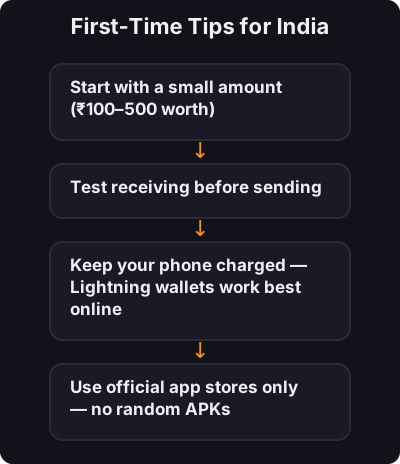
First-Time Tips for India

First-Time Tips for India
  • Start with a small amount (₹100–500 worth)
  • Test receiving before sending
  • Keep your phone charged — Lightning wallets work best online
  • Use official app stores only — no random APKs

✅ Key takeaway

Download Phoenix or BlueWallet from official stores, back up your seed phrase, fund with a small amount, and test receive before send. You're ready to ride the Lightning.

🎯

Quest Challenge

Answer correctly to earn XP and unlock the next quest.